Product · · 5 min read
Uizard turns a sketch into a wireframe. SketchMason turns it into a design.
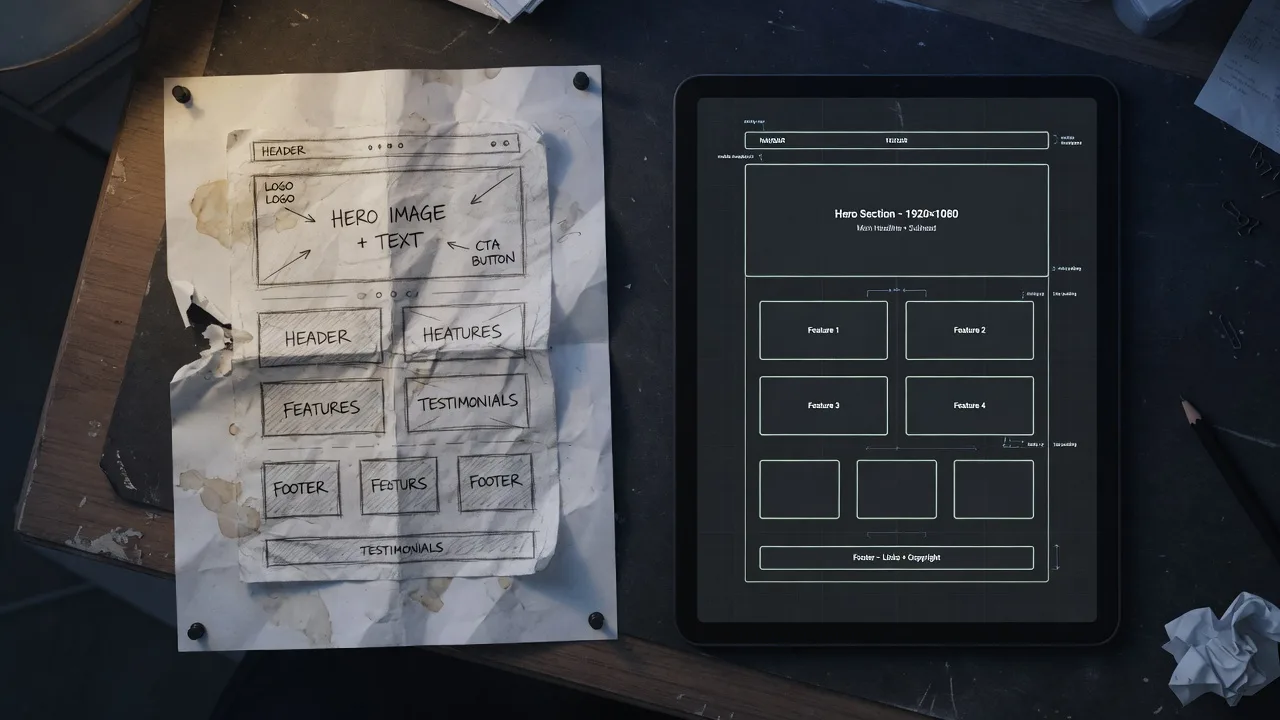
Uizard and SketchMason both start from a sketch, and both take a photo of one drawn on paper. Uizard turns the photo, or a screenshot, into an editable board. SketchMason treats the sketch as the spec: drawn as labelled boxes or dropped in as a photo, it is generated into a finished screen beside itself, with a mood board setting the system.
Two ways in
A napkin photo is the fastest: drop or paste it on the canvas and it lands in a frame that generates like any other sketch. Clear handwritten labels help it the way typed ones help a drawn sketch. Labelled boxes drawn on the canvas take a minute longer and stay editable, so the sketch can change after the first screen exists.
Different outputs
Uizard aims at a wireframe or mid-fidelity mock you click around. Google Stitch aims at a polished screen you take into Figma. v0 aims at a running app. SketchMason aims at a finished design on an infinite canvas, exported as HTML or as a written brief.
When to use which
Want an editable wireframe to click around: Uizard. Prompt a screen from a paragraph: Stitch. Want something that executes: v0. Have the layout, on paper or in your head, and want the fifth screen to match the first: SketchMason. The comparison table is on /compare. Start free at /auth/sign-up.
Questions
- Is SketchMason a Uizard alternative?
- Both take a photo of a paper sketch. Uizard turns it into an editable wireframe to keep building in its own editor. SketchMason turns it, or labelled boxes drawn on the canvas, into a finished UI against your own design system.
- Is SketchMason a v0 alternative?
- No. v0 starts from a prompt and aims at a running app. SketchMason starts from a sketch and aims at a design you can export as HTML or as a brief.
Keep reading
- How a labelled sketch becomes a UI
You do not prompt a layout into existence. You draw the boxes, write what they are, and the screen is generated from that.
- How to label a UI sketch so the model stops guessing
Write the component type, a piece of real copy, or a size constraint. Those three labels do more than a longer prompt.
- A mood board is how the fifth screen matches the first
A palette of eight nice colours is a mood. A palette where each colour is bound to a role is a system.