Craft · · 5 min read
How a labelled sketch becomes a UI
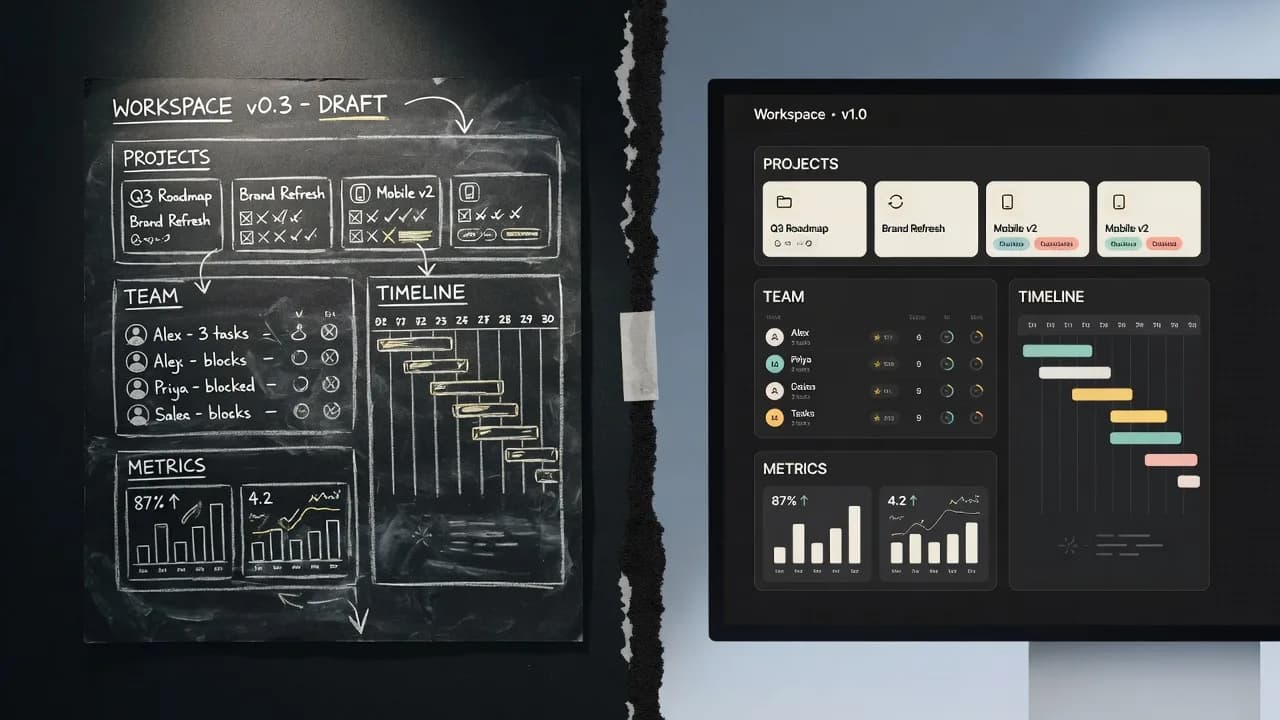
People searching for a sketch-to-UI tool usually mean one of two jobs. Scan a photo of a napkin into a wireframe. Or take a layout you already understand and get a finished screen out of it. SketchMason does the second, and the layout can start on the napkin: drop the photo on the canvas and it generates like a drawn sketch.
The sketch is the spec
A prompt describes a product in the abstract. A labelled sketch describes this screen: a nav the width of the frame, a hero with a full-bleed image, three cards, a footer. The model does not have to invent the reading order. You already drew it.
Boxes are enough. You do not need to draw well. An unlabelled rectangle is still a guess, the same guess every average landing page is made of. Write "nav" or "hero image, full bleed" or the real copy of a button, and the guess is gone.
The mood board is the system
Layout without a system is a one-off. Drop in a few reference images. SketchMason reads them for palette and typographic feel, then binds every colour and face to a role, with contrast checked on the pairings that decide whether text can be read. The fifth screen is built from the same tokens as the first.
What comes out
A design on the canvas, beside the sketch, streamed as it is made. You can revise it, grow it into a flow, or make a mobile version. Export is a standalone HTML file or a written brief. Drawing, moving and history cost nothing. Generating costs a credit.
Try it on an ugly sketch
Pretty sketches are not the point. Six rectangles and a handful of labels are. A new account is free to start, with two generations and no card. If you want the comparison with Uizard, Stitch and prompt-to-app tools, that is /compare.
Questions
- Can AI turn a hand-drawn sketch into a UI?
- Yes. SketchMason takes labelled rectangles on a canvas, or a photo of a sketch on paper, as the layout and generates a finished interface against a design system from your mood board.
- Do I need an account to try it?
- Yes, and it is free to start: two generations, no card.
Keep reading
- How to label a UI sketch so the model stops guessing
Write the component type, a piece of real copy, or a size constraint. Those three labels do more than a longer prompt.
- A mood board is how the fifth screen matches the first
A palette of eight nice colours is a mood. A palette where each colour is bound to a role is a system.
- Uizard turns a sketch into a wireframe. SketchMason turns it into a design.
Both take a photo of a napkin. What comes back is the difference: an editable wireframe, or a finished screen built from your own design system.